
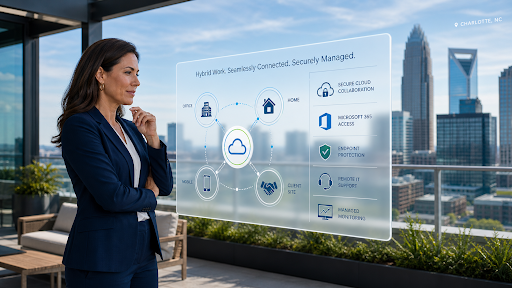
Your team may no longer work from one office, one network, or one set of company-owned desktops. Some employees may work from home, others from client sites, others from the road, and others from the office only a few days a week. Yet many companies are still supported by IT systems designed for an older workplace. That gap is exactly why managed IT services Charlotte, NC businesses use must be built around how people actually work today, not how they worked before hybrid teams, cloud platforms, and remote access became normal.
The problem is not remote work itself. The problem is trying to support modern work with outdated IT assumptions. If your managed IT provider still thinks the office network is the center of everything, your business may already be carrying unnecessary risk. Work now happens across laptops, mobile devices, home Wi-Fi, Microsoft 365, cloud applications, shared files, video calls, and third-party platforms. That means IT support has to follow the user, not just the building.
The Office Is No Longer the Whole IT Environment
For years, business IT was built around the physical office. Employees came in, connected to the local network, used office computers, accessed local servers, and called IT when something broke. That model was easier to control because most devices and users were inside one environment.
Today, that is rarely the full picture. A Charlotte business may have sales employees working from client locations, executives traveling between meetings, finance staff accessing cloud platforms from home, and operations teams using shared applications from multiple devices. The office still matters, but it is no longer the only place where work happens. This changes the purpose of IT support Charlotte, NC companies rely on. Support can no longer be limited to fixing office devices. It must include secure access, remote troubleshooting, cloud performance, identity protection, endpoint management, and clear policies for where and how employees work.
Remote Access Without Security Is a Liability
Remote access is convenient, but convenience without control creates risk. Employees need to reach files, applications, and communication tools from different locations. But if access is poorly managed, the business may expose sensitive systems to weak passwords, unmanaged devices, insecure networks, or former employees who still have active accounts.
A modern managed IT service should review how employees access company systems. Are they using multi-factor authentication? Are devices protected? Are cloud permissions organized? Are remote users monitored for suspicious login activity? Are personal devices allowed? Are old accounts removed quickly? These questions are not overkill. They are basic business protection in a workplace where the network boundary has moved beyond the office walls.
Cloud Tools Need Active Management
Many businesses moved to cloud tools because they wanted flexibility. Microsoft 365, cloud storage, collaboration platforms, accounting software, CRMs, and industry-specific applications can all make work easier. But cloud systems do not manage themselves. Without active management, cloud environments can become messy. Employees may create duplicate folders, share files too broadly, keep access after changing roles, or store sensitive documents in the wrong place. Admin settings may stay at default levels. Security alerts may go unnoticed. Backup assumptions may be wrong.
This is why cloud services Charlotte, NC businesses use should be connected to managed IT. Cloud support should include user management, permission reviews, secure file sharing, Microsoft 365 support, backup planning, and security monitoring. The goal is not just to move work to the cloud. The goal is to make cloud work secure, organized, and reliable.
For broader guidance, Microsoft explains helpful principles around cloud security, including protecting cloud-based systems, data, applications, and access from threats. For businesses using cloud platforms every day, that guidance should not sit in theory. It should show up in how IT is configured and managed.
Every Laptop Is Now a Front Door
In a traditional office model, the network was often treated as the main security boundary. In a hybrid workplace, every laptop, phone, and remote device becomes part of the security perimeter. If one employee device is poorly protected, it can become an entry point into business systems. Endpoint security matters because employees are working from different places and connecting through different networks. A laptop used at home, in a coffee shop, or while traveling still needs patching, antivirus or endpoint protection, encryption, remote management, and monitoring.
Strong cybersecurity services Charlotte, NC businesses depend on should include endpoint protection as part of the managed IT strategy. This helps protect the business even when employees are not physically in the office.
Hybrid Work Can Break Weak Support Models
Hybrid work exposes weak IT support quickly. If employees cannot get fast help when they are outside the office, productivity drops. A remote worker locked out of an account can lose hours. A sales employee with a broken laptop may miss follow-ups. A manager who cannot access files before a meeting may delay decisions.
A modern managed IT provider should support users wherever they work. That includes remote help desk support, device management, secure access troubleshooting, Microsoft 365 support, and clear escalation when issues affect productivity. The provider should also look for patterns. If remote employees keep reporting slow access, login issues, VPN problems, file conflicts, or device performance issues, the answer is not just closing tickets. The answer is improving the system.
Policies Matter More Than Most Businesses Think
Technology alone cannot solve hybrid work problems. Businesses also need clear policies. Employees should know which devices they can use, how to access company systems, how to report suspicious emails, where files should be stored, and what to do if a device is lost or stolen.
Without clear policies, employees create their own workarounds. They email files to personal accounts, save documents locally, share passwords, use unapproved apps, or delay reporting problems because the process is unclear. Good managed IT support should help leadership create practical policies that employees can actually follow. The best policies are not complicated. They make secure work easier, not harder.
The Right IT Model Follows the Workflow
A managed IT service built for the old workplace will focus heavily on office equipment, local troubleshooting, and basic ticket response. A managed IT service built for the current workplace will focus on workflow, security, access, device health, cloud systems, and user experience.
That difference matters. Your business does not need technology that only works when everyone is sitting in the same building. It needs systems that support how employees communicate, collaborate, store information, serve clients, and make decisions across different locations.
For Charlotte companies, this may mean improving Microsoft 365 configuration, replacing outdated remote access methods, strengthening endpoint protection, reviewing cloud permissions, standardizing devices, training employees, and creating better onboarding and offboarding processes.
Signs Your Managed IT Service Is Outdated
Your managed IT service may be outdated if remote employees struggle to get help, cloud file access is messy, users complain about repeated login problems, former employees are not removed quickly, personal devices are unmanaged, backups are unclear, or cybersecurity is treated as a separate conversation instead of part of daily IT.
Another warning sign is when your provider only talks about devices and tickets, but not identity, cloud access, user behavior, endpoint security, or hybrid work risk. That usually means they are supporting where your company used to work, not where it works now.
Build IT Around the Team You Actually Have
The workplace has changed, and your IT support model has to change with it. A business cannot rely on office-centered systems when its employees work across homes, client sites, mobile devices, cloud platforms, and shared applications. The companies that adapt will have fewer disruptions, better security, faster support, and more confident teams.
gTECHserv helps Charlotte businesses strengthen managed IT services, IT support, cybersecurity services, cloud services, endpoint protection, and Microsoft 365 support around how their teams actually work. If your IT provider is still supporting an old version of your workplace, the risk is not just technical. It is operational. Your employees have already moved forward. Your IT strategy needs to catch up.
FAQs
What are managed IT services for hybrid teams in Charlotte, NC?
Managed IT services Charlotte, NC for hybrid teams include remote support, cloud management, endpoint protection, secure access, Microsoft 365 support, backup planning, and cybersecurity controls for employees working from multiple locations.
Why does remote work create more IT security risk?
Remote work creates more risk because employees may use different networks, devices, cloud tools, and access points. Without strong security controls, attackers may target weak passwords, unmanaged devices, or poorly configured cloud accounts.
Can managed IT services support employees outside the office?
Yes. Modern managed IT services can support employees wherever they work through remote help desk support, device management, secure cloud access, Microsoft 365 support, and endpoint monitoring.
How do I know if my IT support is built for modern work?
Your IT support is built for modern work if it protects users, devices, cloud systems, remote access, backups, and business applications together. If support still focuses mainly on office devices and break-fix tickets, it may be outdated.